5 Signs Your Anilox Roller Needs Immediate Cleaning
One of the most frustrating scenarios on the production floor is when the machinery is in good working order, the doctor blade has just been replaced, and the pressure is correctly adjusted—yet the print quality remains off.
When this happens, stop tinkering with the press and take a closer look at your anilox roller. Often, the culprit is dried ink clogging the cells. If you notice any of the following five signs in your workshop, your anilox roller is in urgent need of a deep clean:
- Noticeable drop in print density or fading colors
The color, once set correctly, begins to fade. Adding more ink doesn’t help because the effective volume of the cells has decreased, preventing them from holding enough ink.
- Mottling or “snow-flake”patterns on the print
Ink fails to transfer evenly to the printing plate, resulting in a mottled appearance with white spots in solid areas.
- Frequent, ineffective adjustments to ink viscosity
Operators may assume the ink is too thick and add excessive solvent; however, this fails to clear the clogs and instead causes the print to become blurry or smudged.
- Visible dried ink deposits after downtime
Ink dries inside the cells even during short periods of machine downtime. Under a magnifying glass, the bottoms of the cells appear filled with hardened resin.
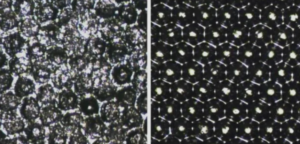
Unexplained streaks or “ghosting” on the print
Localized clogging of the cells leads to uneven ink transfer, manifesting as streaks or ghosting on the printed surface.
Consequences and Recommendations
If left unaddressed, the dried ink will harden completely, causing permanent damage to the cell volume and effectively ruining the roller.
Recommendation: Perform surface cleaning at the end of every shift, and schedule periodic deep cleaning using an ultrasonic cleaner. Never wait until the cells are completely blocked before taking action.